Comprehensive reference
Solana Transactions to CSV: Comprehensive Export Reference
A reference for the full Solana CSV export workflow: how the export behaves across multiple wallets, what the CSV maps to in Koinly, CoinLedger, and CoinTracker, how it compares to Solscan and the official Solana Explorer, and how to troubleshoot the common Helius parsing edge cases.
Looking for the step-by-step walkthrough? See the 3-step how-to guide →
Last updated 6 October 2026
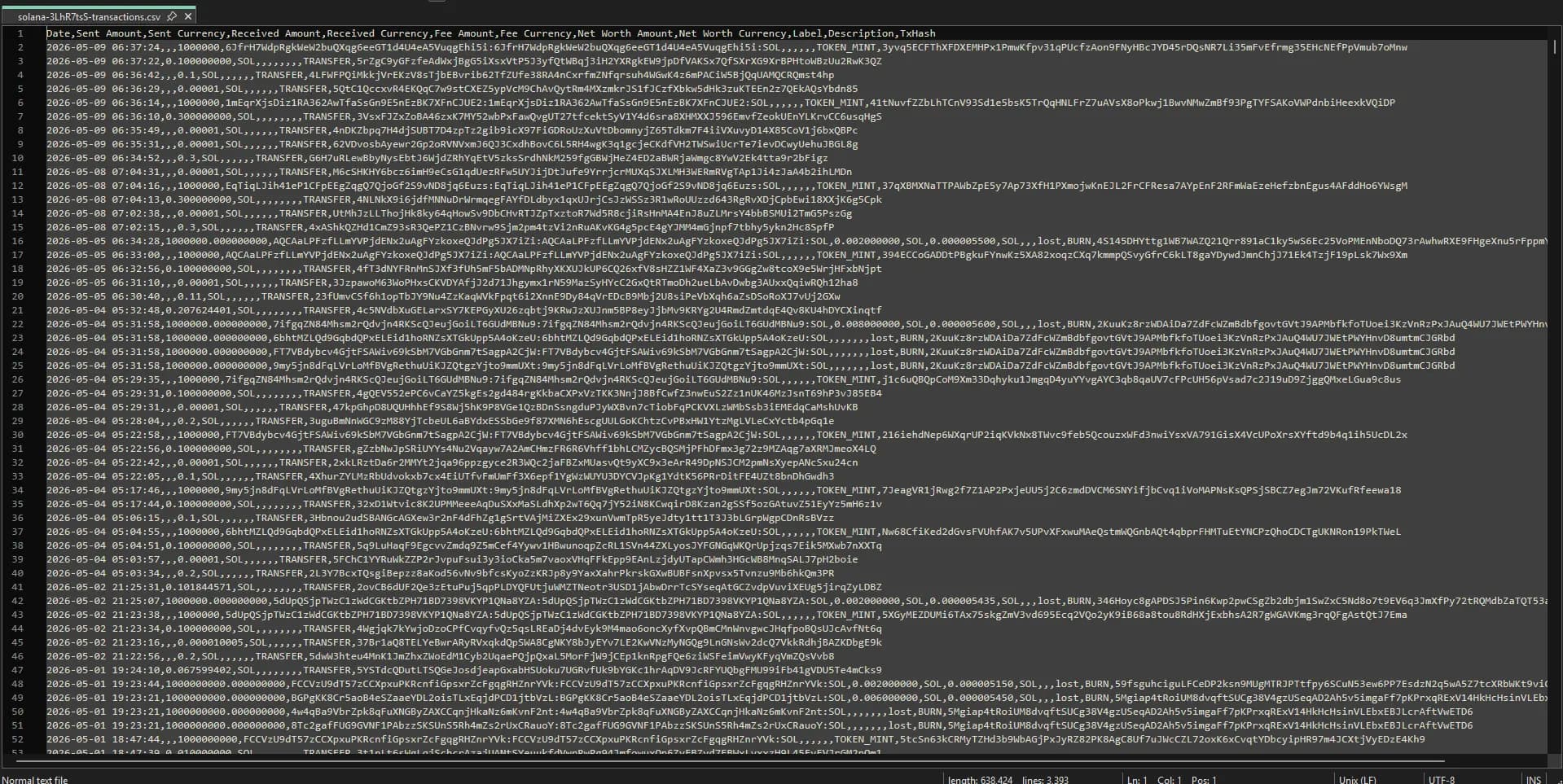
Sample CSV output: transactions parsed into standardised columns, ready to import into Koinly or open in any spreadsheet tool.
Why Export Solana Transactions to CSV?
Crypto tax reporting
Koinly, CoinLedger, and CoinTracker all accept CSV imports. Export your Solana transactions and calculate your tax liability in minutes.
Spreadsheet analysis
Load your transaction history into Excel or Google Sheets to analyse spending, income, and portfolio performance over time.
Accounting reconciliation
Match on-chain activity against your records. The Tx Signature column lets you verify every row on Solscan.
DeFi portfolio audit
Track which protocols you've interacted with, what fees you've paid, and which token swaps generated gains or losses.
Multi-Wallet Export Workflow
Most Solana power users run more than one wallet: a hot wallet for daily DeFi, a cold/Ledger wallet for holdings, and possibly a separate burner for mints. The export is per-address, so the workflow is to run a separate export for each address and then merge the CSVs before importing into a tax tool.
- Export each wallet address separately (run one tier per address, and a Complete tier purchase covers a single address).
- If your tax tool deduplicates by transaction signature (Koinly does), you can safely import overlapping CSVs from wallets that traded with each other, and duplicates are dropped.
- If your tax tool does not deduplicate, merge the CSVs in Excel/Google Sheets and remove rows with the same
TxHashbefore importing. - Tag each address inside Koinly/CoinLedger so internal transfers between your own wallets are correctly classified as non-taxable.
vs Solscan and Solana Explorer
Solscan and the official Solana Explorer show on-chain data but are not built for CSV-shaped output. Here is how the three compare for export use cases:
| Capability | ExportMyWallet | Solscan | Solana Explorer |
|---|---|---|---|
| Bulk CSV export | Yes | Capped at 1,000 behind login | No |
| Tax-tool-ready column shape | Yes | No | No |
| Transaction type classification | Helius-parsed | Partial | Raw program data |
| Login required | No | For CSV export | No |
Troubleshooting Common Export Edge Cases
Rows with type UNKNOWN
Helius classifies most Solana programs out of the box, but a small fraction of interactions (new programs, custom market makers, niche LP positions) come back as UNKNOWN. Your CSV still includes the raw amount/fee/signature, so the transaction is not lost - your tax tool just needs you to manually classify the row.
Very large wallets time out
If a wallet has tens of thousands of transactions and the export appears to stall, it is fetching paged data from Helius. Wait through the spinner - the Complete tier is designed for unbounded histories.
SPL token amounts look wrong by orders of magnitude
Some SPL tokens use unusual decimal precision. Verify the Token/Mint column on Solscan against the token's on-chain metadata; the raw on-chain amount is always correct even when the display rounding differs from a wallet UI.
Wrapped SOL (wSOL) appears as a separate token
wSOL is its own SPL token. Swaps wrap and unwrap SOL around the trade. Tax tools normally net these against each other automatically, but if your gain/loss looks doubled, check the wSOL rows around each Jupiter/Raydium swap.
Related References
Frequently Asked Questions
How does ExportMyWallet differ from Solscan's CSV export?
Solscan's CSV is capped at 1,000 transactions and requires an account. Rows are raw on-chain entries rather than classified events. ExportMyWallet runs the data through Helius classification so each row carries a transaction type (SWAP, NFT_SALE, STAKE, etc.) that Koinly, CoinLedger, and CoinTracker can ingest without manual remapping.
Will the export deduplicate transactions across multiple wallets?
Each export is scoped to a single wallet address. If two of your wallets traded with each other, both exports contain those transactions. Koinly and CoinLedger deduplicate by transaction signature on import. CoinTracker requires manual deduplication.
Why does my export contain UNKNOWN transaction types?
Helius classifies most Solana programs out of the box. Interactions with newer programs, custom market makers, and niche LP positions can come back as UNKNOWN. The raw amount, fee, and on-chain signature are preserved in the CSV so the transaction is not lost. Your tax tool will prompt you to classify the row.
Are wrapped SOL (wSOL) movements double-counted?
wSOL is a separate SPL token. Swaps wrap and unwrap SOL around the trade, so the CSV contains wSOL rows around each Jupiter or Raydium swap. Tax tools normally net these against each other automatically. If a gain or loss looks doubled, inspect the wSOL rows around the swap.
Export Your Solana Transactions
Paste your wallet address to preview your transactions free, then download the full CSV from $4.99. No login required.
Export Solana TransactionsWorks with Phantom, Solflare, Backpack, and any Solana wallet.